На сайте 127211 инструкций общим размером 515.03 Гб , которые состоят из 6436472 страниц
Фото
Руководство пользователя GIGABYTE Aivia K8100 V2. Основные функции, характеристики и условия эксплуатации изложены на 118 страницах документа в pdf формате.
Доступно к просмотру 118 страниц. Рекомендуем вам скачать файл инструкции, поскольку онлайн просмотр документа может сильно отличаться от оригинала.
K8100
Aivia Gaming Keyboard
Model No.: GK-K8100
User's Manual
English .................................................................................................2
???? ............................................................................................ 11
???? ............................................................................................20
Deutsch .............................................................................................29
Portugues ..........................................................................................38
Francais .............................................................................................47
Espanol..............................................................................................56
Русский .............................................................................................65
Українська.........................................................................................74
??? ................................................................................................83
Turkce................................................................................................92
Polski ...............................................................................................101
Cesky............................................................................................... 110
1. Overview
English
1-1 Introduction
Congratulations on purchasing the first product of Aivia series – Aivia K8100 gaming
keyboard. Coinciding with the concept of Aivia about advanced, intuitive, and versatile
interface archetype, the K8100 is born to satisfy gamers’ request. Aivia K8100 is
equipped with three different levels of elastic force, Touch Panel Media control, 20 non-
Ghosting keystroke capability and GHOST™ Macro Engine.
1-2 Package Contents
? Aivia K8100 Gaming Keyboard
? Keycap Puller
? Additional Rubber Coated WASD Keys
? Driver CD (User guide inside)
? Keyboard Protector
1-3 System Requirements
? CD-ROM or DVD-ROM player
? Available USB 2.0 Port x 1
? 40 MB of free hard disk space
? Windows XP / Vista / Vista 64bits / Windows 7 / Windows 7 64bits
- 2 -
2. Installation                                                     English
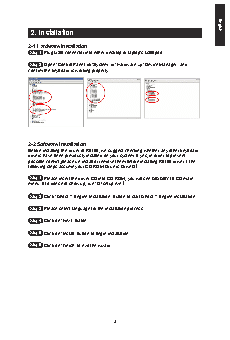
2-1 Hardware Installation
Step 1  Plug USB connector into either desktop or laptop’s USB port
Step 2  Open “Control Panel”   “System”   “Hardware”   “Device Manager” and
confirm the keyboard is working properly
2-2 Software Installation
Before installing the driver of K8100, we suggest checking whether any other keyboard
drivers have been previously installed on your system. If yes, in order to prevent
possible conflict,please un-install or remove them before installing K8100 driver. (The
following steps assume your CD-ROM Drive is Drive D).
Step 1  Please insert the driver CD into CD-ROM, you will see GIGABYTE CD main
menu. (If it does not show up, run “D:\setup.exe”)
Step 2  Click “Ghost™ Engine Installation” button to start Ghost™ Engine installation.
Step 3  Please select language for the installation process.
Step 4  Click on “Next” button.
Step 5  Click on “Install” button to begin installation.
Step 6  Click on “Finish” to exit the wizard.
- 3 -