На сайте 127057 инструкций общим размером 514.45 Гб , которые состоят из 6429669 страниц
Фото
Руководство пользователя JVC KD-G827. Основные функции, характеристики и условия эксплуатации изложены на 86 страницах документа в pdf формате.
Доступно к просмотру 86 страниц. Рекомендуем вам скачать файл инструкции, поскольку онлайн просмотр документа может сильно отличаться от оригинала.
ENGLISH
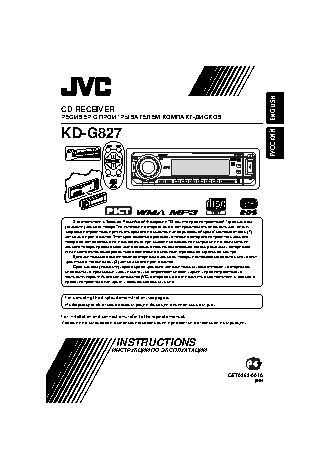
CD RECEIVER
РЕСИВЕР С ПРОИГРЫВАТЕЛЕМ КОМПАКТ-ДИСКОВ
KD-G827
РУCCKИЙ
В соответствии с Законом Российской Федерации “О защите прав потре бителей” срок службы
(годности) данного товара “по истечении которого он может представлять опасность для жизни,
здоровья потребителя, причинять вред его имуществу или окружающей среде” составляет семь (7)
лет со дня производства. Этот срок является временем, в течение которого потребитель данного
товара может безопасно им пользоваться при условии соблюдения ин струк ции по эксплуатации
данного товара, проводя необходимое обслуживание, включающее замену расходных материалов
и/или соответствующее ремонтное обеспечение в специализированном сервисном центре.
Дополнительные косметические материалы к данному товару, поставляе мые вместе с ним, могут
храниться в течение двух (2) лет со дня его производства.
Срок службы (годности), кроме срока хранения дополнительных космети ческих материалов,
упомянутых в предыдущих двух пунктах, не затрагивает никаких других прав потребителя, в
частности, гарантийного свидетельства JVC, которое он может получить в соответствии с законом о
правах потребителя или других законов, связанных с ним.
For canceling the display demonstration, see page 6.
Информацию об отмене демонстрации функций дисплея см. на стр. 6.
For installation and connections, refer to the separate manual.
Указания по установке и выполнению соединений приводятся в отдельной инструкции.
INSTRUCTIONS
ИНСТРУКЦИИ ПО ЭКСПЛУАТАЦИИ
GET0363-001A
[EE]
Cover_KD-G827[EE]f.indd   2                                          12/23/05   9:54:01 AM
Cover_KD-G827[EE]f.indd   2
12/23/05   9:54:01 AM
Thank you for purchasing a JVC product.
Please read all instructions carefully before operation, to ensure your complete understanding and to
obtain the best possible performance from the unit.
ENGLISH  IMPORTANT FOR LASER PRODUCTS
1.  CLASS 1 LASER PRODUCT
2.  CAUTION: Do not open the top cover. There are no user serviceable parts inside the unit; leave
all servicing to qualified service personnel.
3.  CAUTION: Visible and invisible laser radiation when open and interlock failed or defeated.
Avoid direct exposure to beam.
4.  REPRODUCTION OF LABEL: CAUTION LABEL, PLACED OUTSIDE THE UNIT.
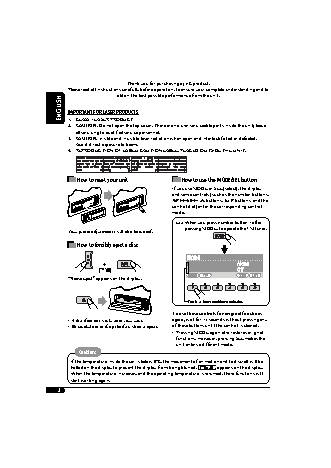
How to reset your unit                How to use the MODE/SEL button
If you use MODE or SEL (select), the display
and some controls (such as the number buttons,
4/?       buttons, 5/? buttons, and the
control dial) enter the corresponding control
mode.
Ex.:  When you press number button 1 after
pressing MODE, to operate the FM tuner.
Your preset adjustments will also be erased.
How to forcibly eject a disc
“Please Eject” appears on the display.
Works as time countdown indicator.
To use these controls for original functions
•  If this does not work, reset your unit.  again, wait for 15 seconds without pressing any
•  Be careful not to drop the disc when it ejects.  of these buttons until the control is cleared.
•  Pressing MODE again also restores original
functions. However, pressing SEL makes the
unit enters a different mode.
Caution:
If the temperature inside the car is below 0°C, the movement of animation and text scroll will be
halted on the display to prevent the display from being blurred.    appears on the display.
When the temperature increases, and the operating temperature is resumed, these functions will
start working again.
2
12/23/05   9:52:21 AM
EN02-05KD-G827[EE]f.indd   2
EN02-05KD-G827[EE]f.indd   2                                         12/23/05   9:52:21 AM
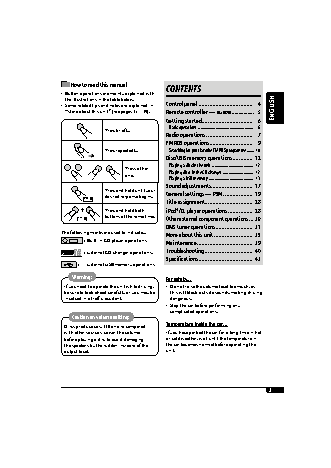
How to read this manual
CONTENTS
•  Button operations are mainly explained with
the illustrations in the table below.
•  Some related tips and notes are explained in   Control panel ...................................   4  ENGLISH
“More about this unit” (see pages 35 – 39).  Remote controller — RM-RK50 .................  5
Getting started .................................   6
Basic operations  ...................................................   6
Press briefly.
Radio operations ..............................   7
FM RDS operations ............................   9
Press repeatedly.      Searching for your favorite FM RDS programme  .......  10
Disc/USB memory operations .............  12
Playing a disc in the unit  ......................................   12
Press either
Playing discs in the CD changer  ............................   12
one.
Playing a USB memory  .........................................   13
Sound adjustments ...........................  17
Press and hold until your
desired response begins.  General settings — PSM ...................  19
Title assignment ...............................  28
Press and hold both   iPod®/D. player operations ................  28
buttons at the same time.  Other external component operations ... 30
DAB tuner operations ........................  31
The following marks are used to indicate...
More about this unit .........................  35
: Built-in CD player operations.
Maintenance ....................................  39
:  External CD changer operations.  Troubleshooting ...............................  40
Specifications ...................................  43
:   External USB memory operations.
Warning:                          For safety...
If you need to operate the unit while driving,   •  Do not raise the volume level too much, as
be sure to look ahead carefully or you may be   this will block outside sounds, making driving
involved in a traffic accident.       dangerous.
•  Stop the car before performing any
complicated operations.
Caution on volume setting:
Temperature inside the car...
Discs produce very little noise compared
with other sources. Lower the volume   If you have parked the car for a long time in hot
before playing a disc to avoid damaging   or cold weather, wait until the temperature in
the speakers by the sudden increase of the   the car becomes normal before operating the
output level.                        unit.
3
12/23/05   9:52:24 AM
EN02-05KD-G827[EE]f.indd   3
EN02-05KD-G827[EE]f.indd   3                                         12/23/05   9:52:24 AM