На сайте 127211 инструкций общим размером 515.03 Гб , которые состоят из 6436472 страниц
Фото
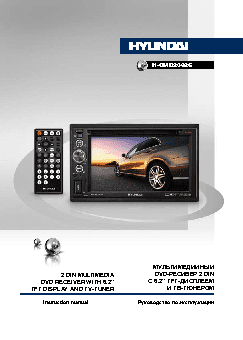
Руководство пользователя HYUNDAI H-CMD2062G. Основные функции, характеристики и условия эксплуатации изложены на 51 странице документа в pdf формате.
Доступно к просмотру 51 страница. Рекомендуем вам скачать файл инструкции, поскольку онлайн просмотр документа может сильно отличаться от оригинала.
H-CMD2062G
МУЛЬТИМЕДИЙНЫЙ
2 DIN MULTIMEDIA                  DVD-РЕСИВЕР 2 DIN
DVD RECEIVER WITH 6.2”                С 6.2” TFT-ДИСПЛЕЕМ
TFT DISPLAY AND TV-TUNER                         И TB-ТЮНЕРОМ
Instruction manual                Руководство по эксплуатации
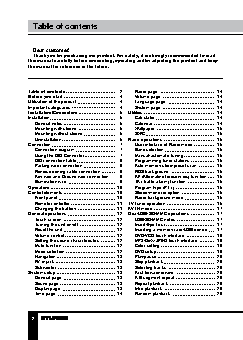
Table of contents                                                                                                           Table of contents
Dear customer!
Thank you for purchasing our product. For safety, it is strongly recommended to read
this manual carefully before connecting, operating and/or adjusting the product and keep
the manual for reference in the future.
Table of contents                2    Radio page                    14
Before you start                 4    Volume page                   14
Utilization of the product       4    Language page                 14
Important safeguards             4    System page                   14
Installation/Connection          5  Utilities                       14
Installation                     5    Calculator                    14
General notes                  5    Calendar                      14
Mounting with sleeve           5    Wallpaper                     15
Mounting without sleeve        6    SWC                           15
Uninstallation                 6  Radio operations                15
Connection                       7    User interface of Radio mode  15
Connection diagram             7    Band selection                16
Using the ISO Connector        7    Manual/automatic tuning       16
ISO connection table           8    Programming tuner stations    16
Parking wire connection        9    Auto memory store/preset scan  16
Reverse driving cable connection  9  RDS background               16
Key wire and Ground wire connection  9  AF (Alternative frequencies) function  16
Illumination wire              9    TA (Traffic alarm) function   16
Operation                       10    Program type (PTY)            16
Control elements                10    Stereo/mono reception         16
Front panel                   10    Radio background mode         16
Remote controller             11  TV tuner operation              16
Changing the battery          11  AV-IN mode                      17
General operations              12  Disc/USB/SD/MMC operations      17
Touch screen                  12    USB/SD/MMC notes              17
Turning the unit on/off       12    Insert/Eject disc             17
Reset the unit                12    Inserting a memory card/USB device  17
Volume control                12    DVD/VCD touch interface       18
Setting the sound characteristics  12  MP3/DivX/JPEG touch interface  18
Mute function                 12    Color setting                 19
Mode selection                12    DVD setup                     19
Navigation                    13    Play/pause                    20
AV in jack                    13    Stop playback                 20
Subwoofer                     13    Selecting tracks              20
System setup                    13    Fast forward/rewind           20
General page                  13    A-B segment repeat            20
Sound page                    13    Repeat playback               20
Display page                  13    Intro playback                20
Time page                     14    Random playback               20
2                                                                                                                                                  3
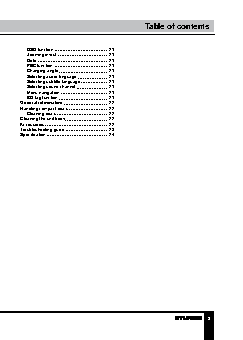
Table of contents                                   Table of contents
OSD function                 21
Zooming in/out               21
Goto                         21
PBC function                 21
Changing angle               21
Selecting audio language     21
Selecting subtitle language  21
Selecting sound channel      21
Menu navigation              21
ID3 tag function             21
General information             22
Handling compact discs          22
Cleaning discs               22
Cleaning the unit body          22
Accessories                     22
Troubleshooting guide           23
Specification                   24
2                                                                          3