На сайте 127196 инструкций общим размером 514.99 Гб , которые состоят из 6435867 страниц
Фото
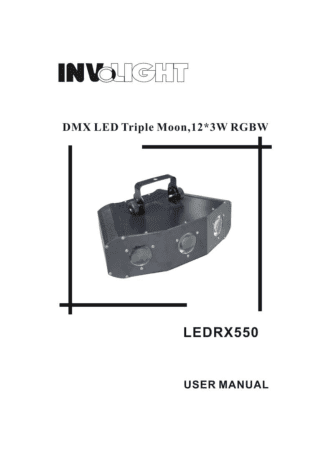
Руководство пользователя INVOLIGHT LED RX550. Основные функции, характеристики и условия эксплуатации изложены на 4 страницах документа в pdf формате.
Доступно к просмотру 3 страницы. Рекомендуем вам скачать файл инструкции, поскольку онлайн просмотр документа может сильно отличаться от оригинала.
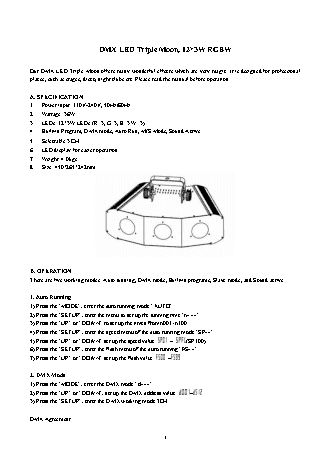
DMX LED Triple Moon, 12*3W RGBW
Our DMX LED Triple Moon offers many wonderful effects which are very magic. It is designed for professional
places, such as stages, disco, night clubs etc. Please read the manual before operation.
A. SPECIFICATION
1.  Power input: 110V-240V, 50Hz/60Hz
2.  Wattage: 36W
3.  LEDs: 12*3W LEDs (R: 3, G: 3, B: 3 W: 3)
4.  Built-in Program, DMX mode, Auto Run, M/S Mode, Sound Active
5.  Selectable 3 CH
6.  LED display for easier operation
7.  Weight: 4.0kgs
8.  Size: 450*265*242mm
B. OPERATION
There are five working modes: Auto running, DMX mode, Built-in programs, Slave mode, and Sound active.
1. Auto Running
1) Press the “MODE”, enter the auto running mode “AUTO”.
2) Press the “SETUP”, enter the menu to set up the running time “n???”.
3) Press the “UP” or “DOWN” to set up the times from n001~n100.
4) Press the “SETUP”, enter the speed menu of the auto running mode “SP??”.
5) Press the “UP” or “DOWN” set up the speed value     ~   (SP100).
6) Press the “SETUP”, enter the flash menu of the auto running “FS??”.
7) Press the “UP” or “DOWN” set up the flash value     ~  .
2. DMX Mode
1) Press the “MODE”, enter the DMX mode “d???”.
2) Press the “UP” or “DOWN”, set up the DMX address value   ~  .
3) Press the “SETUP”, enter the DMX working mode 3CH.
DMX Agreement:
1
CH1                       CH2             CH3
LEDs        LEDs running      LEDs flash
NO.    DMX value
Programs          speed         frequency
1    0             OFF            NO USE          NO USE
2    1--10         PROGRAM01
3    11--21        PROGRAM02
4    22--32        PROGRAM03
5    33--43        PROGRAM04
6    44--54        PROGRAM05
7    55--65        PROGRAM06
8    66--76        PROGRAM07       SPEED 0--255
9    77--87        PROGRAM08                       FLASH 0--255
10    88--98        PROGRAM09
11    99--109       PROGRAM10
12    110--120      PROGRAM11
13    121--131      PROGRAM12
14    132--142      PROGRAM13
15    143--153      PROGRAM14
25    154--255      Sound Mode
3. Built-in Programs
1) Press the “MODE”, enter the built-in program mode “Pr??”.
2) Press the “UP” or “DOWN” to choose the effect program     ~
3) Press the “SETUP”, enter the speed menu of the program “SP??”.
4) Press the “UP” or “DOWN” to set up the speed value     ~   (SP100).
5) Press the “SETUP” enters the flash menu of the program “FS??”.
6) Press the “UP” or “DOWN” to set up the flash value     ~  .
4. Slave Mode
Press the “MODE”, enter the slave mode “SLAV”.
5. Sound Active Mode
1) Presses the “MODE” enter the sound active mode “SoUn”.
2) Press the “SETUP” enter sound sensitivity menu “So??”.
3) Press the “UP” or “DOWN” to set up sound sensitivity value from So00~So31.
C. TURN ON OR OFF THE LED DISPLAY
1. Press the “MODE” enters the turn on or off the LED display mode “LED”.
2. Press the “SETUP” enters the LED display turn on or off.
3. Press the “UP” or “DOWN”, set up the LED display stay on or off.
Remarks: when it is on, the LED display will light up all the way. When it is off, the LED display will turn off
after 20 seconds.
D. LED INVERSION DISPLAY
2
1. Press the “MODE”, enter the mode of the LED inversion display menu “dISP”.
2. Press the “SETUP” to choose the LED standard display “dISP” or inversion display “dSIP”
E. VERSION DISPLAY
1. Press the “MODE” to enter the menu of the version display.
2. Press the “SETUP”, it will shows the version No. as V10.
3