На сайте 127165 инструкций общим размером 514.93 Гб , которые состоят из 6434642 страниц
Фото
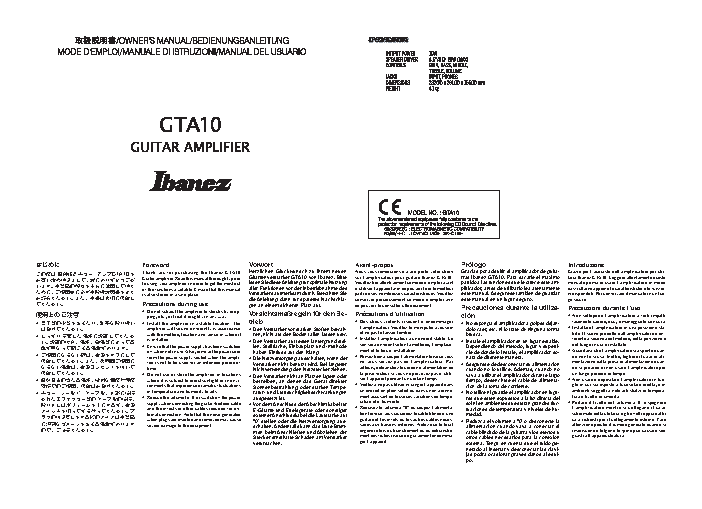
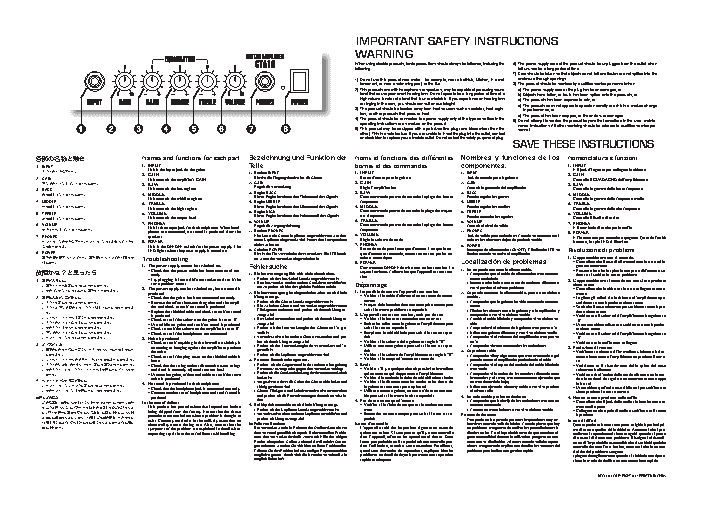
Руководство пользователя IBANEZ GTA10. Основные функции, характеристики и условия эксплуатации изложены на 2 страницах документа в pdf формате.
Доступно к просмотру 2 страницы. Рекомендуем вам скачать файл инструкции, поскольку онлайн просмотр документа может сильно отличаться от оригинала.
•
•
•
•
•
(5"   Q
????
????
????
??????
???????
????????
?????????
?????????
???????????
???????????
???????????
???????????
????????????
Page 1
?????????????????
??????????????????
??????????????????
???????????
???????????????????
?
???????????????????
???????? ??? ?????????
??
?????????
???????????????????
????????????????
??????????????????
????????
???? *#"/&; ???????(5"  ?
????????
???????????????????
????????????????
???????????????????
???????
???????????????????
???????????????????
•
•
•
•
•
time.
is installed.
Foreword
is also stored in a safe place.
Precautions during use
severe damage to the equipment.
in temperature and humidity levels.
ping, etc., or treat it roughly in any way.
amplifier will sound differently is accordance
fier is not to be used for an extended period of
of the functions available. Ensure that this manual
to using your amplifier in order to get the most out
where it is subject to direct sunlight or in envi-
with the method, location and venue of where it
ronments that experience dramatic fluctuations
off when not in use. Also, remove the power cord
Guiter amplifier. Read this manual thoroughly prior
Do not subject the amplifier to shocks by drop-
ternal connection. Note that the noise generated
supply when connecting the guitar shielded cable
and the effects or other cables required for ex-
Do not use or store the amplifier in locations
Reduce the volume to ‘0’ or switch off the power
when plugs are inserted and removed may cause
from the power supply socket when the ampli-
Ensure that the power supply has been switched
Install the amplifier in a stable location. The
Thank you for purchasing the Ibanez GTA10
•
•
•
•
•
trieb
Vorwort
verursachen.
ausgesetzt ist.
haben Einfluss auf den Klang.
gen an einem sicheren Platz auf.
Verstarkers aufmerksam durch. Bewahren Sie
aller Funktionen vor der Inbetriebnahme des
len. Stellflache, Einbauplatz und -methode
Verstarker nicht benutzt wird. Bei langerer
“0” stellen oder die Netzversorgung aus-
schalten. Andernfalls kann das laute Brum-
men beim Anschlie?en und Abziehen der
Stecker ernsthafte Schaden am Verstarker
Die Netzversorgung ausschalten, wenn der
lesen Sie diese Anleitung fur optimale Nutzung
Herzlichen Gluckwunsch zu Ihrem neuen
Gitarrenverstarker GTA10 von Ibanez. Bitte
ratur- und Luftfeuchtigkeitsschwankungen
Den Verstarker nicht an Platzen lagern oder
ren, nicht auf den Boden fallen lassen usw.
Den Verstarker vor starken Sto?en bewah-
Sonnenbestrahlung, oder starken Tempe-
betreiben, an denen das Gerat direkter
Vorsichtsma?regeln fur den Be-
E-Gitarre und Effektgerate oder sonstiger
die Anleitung dann fur spateres Nachschla-
externer Anschlusskabel die Lautstarke auf
Den Verstarker auf festen Untergrund stel-
Vor dem Anschluss der Abschirmkabel fur
Nichtverwendung den Netzstecker ziehen.
•
•
•
•
•
ger l’appareil.
Avant-propos
rature et d’humidite.
et ne pas le laisser tomber.
ment et le lieu d’installation.
03.12.25, 1:08 PM
Precautions d’utilisation
de pouvoir le consulter ulterieurement.
ser l’appareil pendant un certain temps.
un endroit en plein soleil ou dans un environne-
sur l’amplificateur pour guitare Ibanez GTA10.
ment accusant de brusques variations de tempe-
Veillez a ne pas utiliser ni ranger l’appareil dans
Pensez bien a couper l’alimentation lorsque vous
ment des fiches risque de gravement endomma-
l’amplificateur. Veuillez le manipuler avec soin
tion lorsque vous raccordez le cable blinde d’une
saires aux liaisons externes. Notez que le bruit
conserver precieusement ce mode d’emploi afin
parti de ses nombreuses caracteristiques. Veuillez
guitare et les effets ou les autres cables neces-
Veuillez lire attentivement ce mode d’emploi avant
Des chocs violents risquent d’endommager
engendre lors du branchement ou du debranche-
Reduisez le volume a “0” ou coupez l’alimenta-
d’utiliser l’appareil afin de pouvoir tirer le meilleur
Nous vous remercions d’avoir porte votre choix
la prise secteur si vous ne prevoyez pas d’utili-
Installez l’amplificateur a un endroit stable. Le
son sera different selon la methode, l’emplace-
ailleurs, debranchez le cordon d’alimentation de
ne vous servez pas de l’amplificateur. Par
•
•
•
•
•
"EPCF 1BHF.BLFS    + 11$
po.
cion
brusca.
medad.
Prologo
nara de diferente manera.
cion de la toma de corriente.
este manual en un lugar seguro.
cie de donde lo instale, el amplificador so-
Asegurese de desconectar su alimentacion
sol ni en ambientes que sufran grandes fluc-
Precauciones durante la utiliza-
Dependiendo del metodo, lugar y superfi-
Reduzca el volumen a “0” o desconecte la
este manual. Asegurese tambien de guardar
plificador, antes de utilizarlo lea atentamente
otros cables necesarios para la conexion
jas podra ocasionar graves danos al equi-
No exponga el amplificador a golpes dejan-
vaya a utilizar el amplificador durante largo
externa. Tenga en cuenta que el ruido ge-
tiempo, desenchufe el cable de alimenta-
dolo caer, etc. ni lo trate de ninguna forma
nerado al insertar y desconectar las clavi-
rras Ibanez GTA10. Para sacarle el maximo
cable blindado de la guitarra y los efectos u
cuando no lo utilice. Ademas, cuando no
alimentacion cuando vaya a conectar el
Gracias por adquirir el amplificador de guita-
No utilice ni guarde el amplificador en luga-
Instale el amplificador en un lugar estable.
res que esten expuestos a la luz directa del
partido a las funciones que le ofrece este am-
tuaciones de temperatura y niveles de hu-
•
•
•
•
•
go sicuro.
Introduzione
tura e livello di umidita.
guasti all’apparecchiatura.
un lungo periodo di tempo.
del luogo in cui e installato.
Precauzioni durante l’uso
mentazione dalla presa di alimentazione quan-
do non lo si usa. Inoltre, togliere il cavo di ali-
ghi in cui sia esposto a luce solare diretta, o in
tarra Ibanez GTA10. Leggere attentamente questo
do si prevede di non usare l’amplificatore per
Grazie per l’acquisto dell’amplificatore per chi-
ferente a seconda del metodo, della posizione e
Non usare o depositare l’amplificatore in luo-
Accertarsi che l’amplificatore sia spento quan-
l’amplificatore mentre si collegano il cavo
da sfruttarne appieno le caratteristiche e le funzio-
Non sottoporre l’amplificatore a forti impatti
attenzione poiche il rumore generato quando si
cavi richiesti per il collegamento esterno. Fare
ni disponibili. Poi conservare il manuale in un luo-
schermato della chitarra e gli effetti oppure altri
Installare l’amplificatore in una posizione sta-
ambienti soggetti a notevoli sbalzi di tempera-
bile. Il suono prodotto dall’amplificatore e dif-
manuale prima di usare l’amplificatore in modo
inseriscono e tolgono le spine puo causare seri
Portare il livello del volume a ‘0’ o spegnere
facendolo cadere, ecc., e maneggiarlo con cura.
•
•
•
•
•
•
•
•
•
•
•
•
•
•
•
(5"   Q
("*/
#"44
??
*/165
108&3
.*%%-&
53&#-&
1)0/&4
70-6.&
????
???????
?????
??????
??????
???????
????????
????????
?????????
?????????
????????
???????????
????????????
????????
??????????????
??????????????
??????????????
??????????????
??????????????
???????????????
????????????????
????????
??????????
??????????????????
?????????????????
??????????????????
???????????????????
Page 2
????????????????????
?????????????????????
?????????????????????
??????????????????????
???????????????????????
????????????????????????
?????????????????????????
???????????????????????????
?????????????
??? 0/ 0'' ????????? 0/ ?????? -&% ??
?? ????????????????? ??????????
???????????????
????????????????????
????????????????????
?????? ??????? ???????????????
???????????  ??? ????ґ????? ?????
?????? ????????????????????? ??
?????????????
????????????????????????????
1.
3.
3.
1.
5.
8.
6.
7.
2.
2.
4.
4.
•
•
•
•
•
•
•
•
•
•
•
•
•
•
•
BASS
GAIN
rectly.
INPUT
loose.
POWER
speakers.
produced
PHONES
TREBLE
MIDDLE
VOLUME
the noise.
produced.
is produced.
In the case of defects
Noise is produced
noise is produced.
same problem occurs.
Troubleshooting
This controls the low register.
This controls the output level.
This controls the high register.
This controls the middle register.
This is the input jack for the guitar.
This controls the amplifier’s GAIN.
No sound is produced in the headphones
The power supply cannot be switched on.
and frets) is correctly adjusted (not too low).
fier and check to see if no sound is produced.
LED lights when the power supply is turned on.
Check to see if the headphones are connected.
Check that the guitar has been connected correctly.
requesting repair in order to facilitate swift handling.
Check to see if the volume on the guitar is set to ‘0’.
This is the output jack for the headphones. When head-
Names and functions for each part
Check to see if the plug cover on the shielded cable is
phones are connected, no sound is produced from the
Remove the effects between the guitar and the ampli-
Check to see if anything in the immediate vicinity is
Replace the shielded cable and check to see if no sound
Check to see if the volume on the amplifier is set to ‘0’.
Use a different guitar and see if no sound is produced.
resonating or banging against the amplifier to produce
This is the ON/OFF switch for the power supply. The
Check that the power cable has been connected cor-
The power supply can be switched on, but no sound is
Try plugging it into a different socket and see if the
Use another guitar, effects and cable to see if the same
symptoms of the problem are explained in detail when
Check that the string action (distance between strings
This product has passed exhaustive inspections before
abnormality occurs during use. Also, ensure that the
exist. Contact your dealer in the unlikely event that an
Connect another set of headphones and see if sound is
procedures are carried out when a problem is thought to
Check that the headphone jack is connected correctly.
being shipped from the factory. Ensure that the above
6.
4.
3.
3.
4.
5.
2.
1.
7.
1.
8.
2.
•
•
•
•
•
•
•
•
•
•
•
•
•
•
•
GAIN
Teile
den.
VOLUME
stellt ist.
locker ist.
gestellt ist.
zeugt wird.
zeugt wird.
Regler HIGH
Regler BASS
Klang erzeugt.
Buchse INPUT
nichts zu horen.
Regler MIDDLE
Schalter POWER
Buchse PHONES
Im Falle von Defekten
moglich finden la?t.
Fehlersuche
Regelt die Verstarkung
richtig gestimmt sind.
Regelt die Ausgangsleistung
prufen, ob Klang erzeugt wird.
Es treten Rauschstorungen auf.
fen, ob damit Klang erzeugt wird.
tet, wenn der Verstarker eingeschaltet ist.
Dies ist die Eingangsbuchse fur die Gitarre.
Prufen, ob die Kopfhorer angeschlossen sind.
Prufen, ob die Gitarre korrekt angeschlossen ist.
Die Netzversorgung la?t sich nicht einschalten.
um zu prufen, ob hier das gleiche Problem auftritt.
Bei Kopfhoreranschluss wird kein Klang erzeugt.
Dieser Regler bestimmt den Mittenanteil des Signals.
Dieser Regler bestimmt den Tiefenanteil des Signals.
Dieser Regler bestimmt den Hohenanteil des Signals.
Prufen, ob der Kopfhorer korrekt angeschlossen ist.
Prufen, ob das Netzkabel korrekt angeschlossen ist.
Resonanz erzeugt oder gegen den Verstarker schlagt.
Hier kann ein Stereokopfhorer angeschlossen werden.
Effektgerate entfernen und prufen, ob danach Klang er-
Prufen, ob ein Gegenstand in der naheren Umgebung
Wenn Kopfhorer eingesteckt sind, ist aus den Lautsprechern
gen auftreten, wenden Sie sich bitte an Ihren Fachhandler.
moglichst genau, damit sich die Ursache so schnell wie
Bezeichnung und Funktion der
und prufen, ob die Rauschstorungen danach verschwin-
Punkte uberprufen. Sollten wahrend des Betriebs Storun-
dem Versand grundlich uberpruft. Bei eventuellen Proble-
Das Kabel austauschen und prufen, ob danach Klang er-
men den Verstarker deshalb zuerst mit Hilfe der obigen
Erklaren Sie das Problem bei notwendigen Reparaturen bitte
Die zwischen Gitarre und Verstarker angeschlossenen
Prufen, ob der Lautstarkeregler der Gitarre auf “0” ge-
Der Verstarker wurde im Rahmen der Qualitatskontrolle vor
Den Netzstecker an eine andere Steckdose anschlie?en,
Dies ist der Ein-/Ausschalter des Verstarkers. Die LED leuch-
Versuchsweise einen anderen Kopfhorer anschlie?en und
Gitarre, Effektgerat und Kabel versuchsweise austauschen
Versuchsweise eine andere Gitarre verwenden und pru-
Prufen, ob die Steckerabdeckung des Instrumentenkabels
Die Netzversorgung ist eingeschaltet, aber es wird kein
Prufen, ob der Lautstarkeregler des Verstarkers auf “0”
Vergewissern, dass die Saiten der Gitarre nicht locker und
4)
2.
1.
2.
2)
3.
5)
1)
3.
7.
4.
6.
5.
4.
1.
3)
8.
•
•
•
•
•
•
•
•
•
•
•
•
•
•
•
sion.
Bruit
BASS
duit.
duit.
GAIN
following :
ment.
INPUT
POWER
tement.
produit.
TREBLE
PHONES
MIDDLE
VOLUME
frequences.
frequences.
nes frequences.
Depannage
En cas d’anomalie
rapide et adequate.
ceintes acoustiques.
Regle l’amplification
Regle le volume de sortie
voir si le son est reproduit.
Borne d’entree pour la guitare.
WARNING
Pas de son au casque d’ecoute
03.12.25, 1:08 PM
bornes et des commandes
voir si le meme probleme se reproduit.
la guitare est correcte (pas trop basse).
ters, or other products that produce heat.
ble pour voir si le meme bruit se reproduit.
Verifiez si le casque d’ecoute est raccorde.
Impossible de mettre l’appareil sous tension
Verifiez si la basse est raccordee correctement.
basement, or near a swimming pool, or the like.
L’appareil se met sous tension, mais pas de son
qui resonne ou qui frappe contre l’amplificateur.
Verifiez si le volume de la guitare est regle a “0”.
operating instructions or as marked on the product.
problemes en detail de facon a permettre une reparation
que d’ecoute est raccorde, aucun son ne sort par les en-
voyant lumineux s’allume lorsque l’appareil est sous ten-
Verifiez s’il y a quelque chose a proximite immediate
le cas peu probable ou il se produirait une anomalie pen-
Cette commande permet de controler la plage des basses
Verifiez si le volume de l’amplificateur est regle a “0”.
Borne de sortie pour le casque d’ecoute. Lorsque le cas-
dans l’appareil, effectuez les operations ci-dessus. Dans
Utilisez une autre guitare pour voir si le son est repro-
Raccordez un autre casque pour voir si le son est re-
Commutateur ON/OFF de mise sous ou hors tension. Le
Retirez les effets entre la guitare et l’amplificateur pour
Noms et fonctions des differentes
L’appareil a subi des inspections rigoureuses avant de
Verifiez si la distance entre les cordes et les frettes de
Cette commande permet de controler la plage des hautes
Essayez de le brancher dans une autre prise secteur pour
quand vous demandez des reparations, expliquez bien les
Utilisez une autre guitare, un autre effet et un autre ca-
Verifiez si le cable d’alimentation est raccorde correc-
Verifiez si la fiche du casque est branchee correcte-
Remplacez le cable blinde pour voir si le son est repro-
Verifiez si le cache de la fiche du cable blinde est lache.
Cette commande permet de controler la plage des moyen-
dant l’utilisation, consultez votre revendeur. Par ailleurs,
quitter nos usines. Si vous pensez qu’il y a une anomalie
or ringing in the ears, you should consult an audiologist.
"EPCF 1BHF.BLFS    + 11$
2.
7.
5.
4.
3.
6.
4.
1.
1.
2.
8.
3.
•
•
•
•
•
•
•
•
•
•
•
•
•
•
•
GAIN
BASS
INPUT
nido.
sonido.
POWER
en “0”.
MIDDLE
mente.
TREBLE
VOLUME
PHONES
esta suelto.
el mismo ruido.
Se produce ruido
En caso de defectos
mente enchufado.
tamente conectada.
This products and with headphones or speakers, may be capable of producing sound
The product should be located away from heat sources such as radiator, heat regis-
an electrician to replace your obsolete outlet. Do not defeat the safety purpose of plug.
level that cause permanent hearing loss. Do not operate for a long period of time at a
The product should be connected to a power supply only of the type described in the
high volume level or at a level that is uncomfortable. If you experience an hearing loss
When using electric products, basic precautions should always be followed, including the
other). This is a safe feature. If you are unable to insert the plug into the outlet, contact
Do not use this product near water – for example, near a bathtub, kitchen, in a wet
This product may be equipped with a polarized line plug (one blade wider than the
componentes.
Controla el nivel de salida.
Permite regular los graves.
no este demasiado baja).
Permite regular los medios.
Permite controlar los agudos.
8)
6)
9)
7)
Jack de entrada para la guitarra.
a)
b)
c)
d)
e)
ver si persiste el mismo problema.
No sale sonido por los auriculares
Controla la ganancia del amplificador.
sonnel.
compruebe a ver si se obtiene sonido.
ilumina cuando se activa el amplificador.
No se puede conectar la alimentacion.
problema para facilitar una gestion rapida.
culares, los altavoces dejan de producir sonido.
Localizacion de problemas
Compruebe si estan conectados los auriculares.
peando contra el amplificador produciendo el ruido.
Conecte otros auriculares a ver si se obtiene sonido.
in performance; or
Utilice una guitarra diferente y vea si se obtiene sonido.
IMPORTANT SAFETY INSTRUCTIONS
Nombres y funciones de los
Jack de salida para auriculares. Cuando se conectan auri-
Utilice otra ajustada, efectos y cable a ver si se produce
guna anormalidad durante la utilizacion, pongase en con-
Se puede conectar la alimentacion, pero no se obtiene
Compruebe si hay algo cerca que este resonando o gol-
Intente enchufarlo a una toma de corriente diferente a
Compruebe si el tapon del enchufe del cable blindado
Compruebe que la clavija de los auriculares esta correc-
un problema, asegurese de realizar los procedimientos in-
tacto con su distribuidor. Ademas, cuando solicite repara-
Compruebe si el volumen del amplificador esta puesto
Elimine los efectos entre la guitarra y el amplificador y
Compruebe que la guitarra ha sido conectada correcta-
Compruebe que el cable de alimentacion esta correcta-
Cambie el cable blindado y compruebe si se obtiene so-
dicados arriba. En el improbable caso de que ocurriera al-
haustivas antes de salir de fabrica. Cuando piense que hay
ciones, asegurese de explicar con detalles los sintomas del
las cuerdas y el traste) esta correctamente ajustada (que
Interruptor de alimentacion (ON/OFF). El indicador LED se
Este producto ha pasado por unas inspecciones muy ex-
Compruebe si el volumen de la guitarra esta puesto a “0”.
Compruebe si la accion de las cuerdas (distancia entre
enclosure through openings.
3.
1.
2.
1.
3.
5.
6.
8.
4.
7.
4.
2.
•
•
•
•
•
•
•
•
•
•
•
•
•
•
•
left unused for a long period of time.
re.
‘0’.
‘0’.
BASS
GAIN
INPUT
mente.
POWER
PHONES
TREBLE
MIDDLE
VOLUME
in basso).
alcun suono
e prodotto.
The products has been exposed to rain; or
In caso di difetti
to alcun suono.
mente nella presa.
dotto alcun suono.
gato correttamente.
Produzione di rumore
schermato e allentato.
Controlla il livello di uscita.
The power-supply cord or the plug has been damaged; or
ristiche del problema vengano
The product has been dropped, or the enclosure damaged.
e accesa, la spia LED si illumina.
viene prodotto lo stesso rumore.
E il terminale di uscita per le cuffie.
L’apparecchiatura non si accende.
Risoluzione di problemi
Nessun suono e prodotto nelle cuffie
The product should be serviced by qualified service personnel when :
Objects have fallen, or liquid has been spilled onto the products; or
Verificare se le cuffie sono collegate.
Nomenclatura e funzioni
dere se si verifica lo stesso problema.
Controlla la gamma delle alte frequenze.
Controlla la gamma delle basse frequenze.
verificare se non e prodotto alcun suono.
Controlla la gamma delle frequenze medie.
E il jack d’ingresso per collegare la chitarra.
Controlla il GUADAGNO dell’amplificatore.
SAVE THESE INSTRUCTIONS
Do not attempt to service the product beyond that described in the user- mainte-
The products does not appear to operate normally or exhibits a marked change
The power-supply cord of the product should be unplugged from the outlet when
Care should be taken so that objects do not fall and liquids are not spilled into the
nance instructions. All other servicing should be referred to qualified service per-
zione in modo da facilitarne una esecuzione rapida.
Verificare che l’action delle corde (distanza tra le cor-
ma di essere spedito dalla fabbrica. Accertarsi che i pro-
di trovarsi di fronte a un problema. Rivolgersi al rivendi-
nante o batte contro l’amplificatore e produce il rumo-
Verificare se niente nell’immediata vicinanza e riso-
cedimenti sopraelencati siano eseguiti quando si pensa
Verificare se il rivestimento della spina del cavo
tore nell’improbabile eventualita che si verifichi qualche
Controllare che la chitarra sia stata collegata corretta-
Controllare che il cavo di alimentazione sia stato colle-
Togliere gli effetti fra la chitarra e l’amplificatore per
Collegare un altro paio di cuffie e verificare se il suono
Controllare che il jack delle cuffie sia inserito corretta-
L’apparecchiatura si accende ma non viene prodotto
spiegate dettagliatamente quando si richiede una ripara-
DEC03660 COPYRIGHT 2004 PRINTED IN CHINA
Provare a inserire la spina in una presa differente e ve-
de e la tastiera) sia regolata correttamente (non troppo
Questo prodotto e stato sottoposto a rigide ispezioni pri-
anomalia durante l’uso. Inoltre, accertarsi che le caratte-
Verificare se il volume dell’amplificatore e regolato su
Usare una chitarra diversa e verificare se non e prodot-
E l’interruttore per accendere/spegnere. Quando l’unita
Sostituire il cavo schermato per verificare se non e pro-
Verificare se il volume dell’amplificatore e regolato su
Usare chitarra, effetti e cavo differenti per verificare se