На сайте 127175 инструкций общим размером 514.95 Гб , которые состоят из 6434877 страниц
Фото
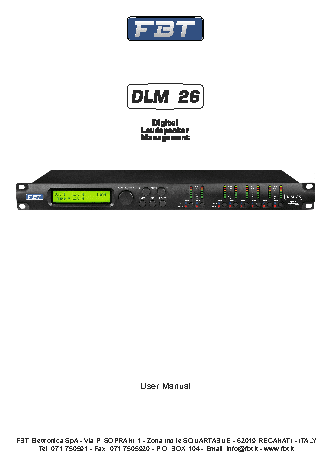
Руководство пользователя FBT DLM-26. Основные функции, характеристики и условия эксплуатации изложены на 66 страницах документа в pdf формате.
Доступно к просмотру 65 страниц. Рекомендуем вам скачать файл инструкции, поскольку онлайн просмотр документа может сильно отличаться от оригинала.
User Manual
FBT Elettronica SpA - Via P. SOPRANI 1 - Zona Ind.le SQUARTABUE - 62019 RECANATI - ITALY
Tel. 071.750591 - Fax. 071.7505920 - P.O. BOX 104 - Email: info@fbt.it - www.fbt.it
DLM26  Digital Speaker Processor
User Manual
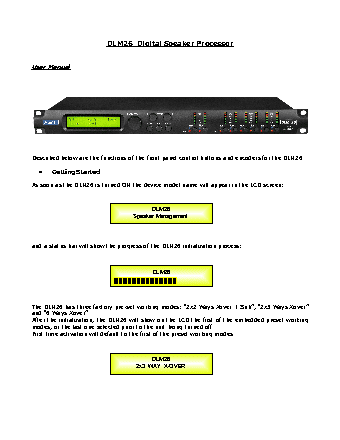
Described below are the functions of the front panel control buttons and encoders for the DLM26.
•    Getting Started
As soon as the DLM26 is turned ON the device model name will appear in the LCD screen:
DLM26
Speaker Management
and a status bar will show the progress of the DLM26 initialization process:
DLM26
The DLM26 has three factory pre-set working modes: “2x2 Ways Xover + Sub”, “2x3 Ways Xover”
and “6 Ways Xover”.
After the initialization, the DLM26 will show on the LCD the first of the embedded preset working
modes, or the last one selected prior to the unit being turned off.
First time activation will default to the first of the preset working modes.
DLM26
2x3  WAY  X-OVER
•    Encoders and ENTER, ESC buttons
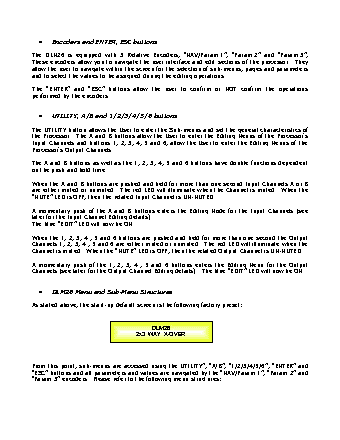
The DLM26 is equipped with 3 Relative Encoders, “NAV/Param.1”, “Param.2” and “Param.3”,
These encoders allow you to navigate the user interface and edit sections of the processor.  They
allow the user to navigate within the screen for the selection of sub-menus, pages and parameters
and to select the values to be assigned during the editing operations.
The   “ENTER”   and   “ESC”   buttons   allow   the   user   to   confirm   or   NOT   confirm   the   operations
performed by the encoders.
•    UTILITY, A/B and 1/2/3/4/5/6 buttons
The UTILITY button allows the User to enter the Sub-menus and set the general characteristics of
the Processor.  The A and B buttons allow the User to enter the Editing Menus of the Processor's
Input Channels and buttons 1, 2, 3, 4, 5 and 6, allow the User to enter the Editing Menus of the
Processor's Output Channels.
The A and B buttons as well as the 1, 2, 3, 4, 5 and 6 buttons have double functions dependent
on the push and hold time.
When the A and B buttons are pushed and held for more than one second Input Channels A or B
are either muted or unmuted.  The red LED will illuminate when the Channel is muted.  When the
“MUTE” LED is OFF, then the related Input Channel is UN-MUTED.
A momentary push of the A and B buttons enters the Editing Mode for the Input Channels (see
later for the Input Channel Editing details).
The blue “EDIT” LED will now be ON.
When the 1, 2, 3, 4 , 5 and 6 buttons are pushed and held for more than one second the Output
Channels 1, 2, 3, 4 , 5 and 6 are either muted or unmuted.  The red LED will illuminate when the
Channel is muted.  When the “MUTE” LED is OFF, then the related Output Channel is UN-MUTED.
A momentary push of the 1, 2, 3, 4 , 5 and 6 buttons enters the Editing Menu for the Output
Channels (see later for the Output Channel Editing details).  The blue “EDIT” LED will now be ON.
•    DLM26 Menu and Sub-Menu Structures
As stated above, the start-up default screen is the following factory preset:
DLM26
2x3  WAY  X-OVER
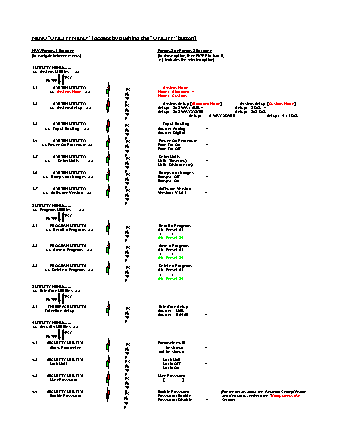
From this point, sub-menus are accessed using the UTILITY”, “A/B”, “1/2/3/4/5/6”, “ENTER” and
“ESC” buttons and all parameters and values are navigated by the “NAV/Param.1”, “Param.2” and
“Param.3” encoders.  Please refer to the following menu structures: