На сайте 127160 инструкций общим размером 514.92 Гб , которые состоят из 6434119 страниц
Фото

Руководство пользователя ARCAM FMJ DV27A. Основные функции, характеристики и условия эксплуатации изложены на 23 страницах документа в pdf формате.
Доступно к просмотру 23 страницы. Рекомендуем вам скачать файл инструкции, поскольку онлайн просмотр документа может сильно отличаться от оригинала.
Progressive scan DVD
player DV27A
English
2                                                                                                                        3
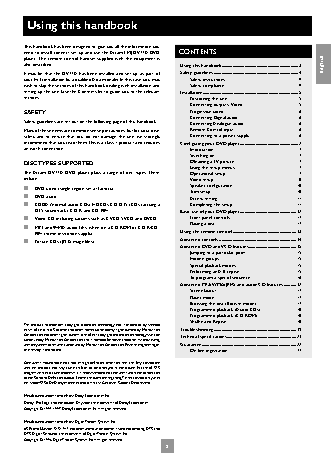
Using this handbook
This handbook has been designed to give you all the information you
need to install, connect, set up and use the Arcam FMJ DV27A DVD   CONTENTS
player.  The remote control handset supplied with the equipment is
also described.                                         Using this handbook...................................................................... 3  English
It may be that the DV27A has been installed and set up as part of   Safety guidelines............................................................................. 4
your Hi-Fi installation by a qualified Arcam dealer. In this case, you may   Safety instructions ..................................................................................4
wish to skip the sections of this handbook dealing with installation and   Safety compliance...................................................................................4
setting up the unit. Use the Contents list to guide you to the relevant   Installation ....................................................................................... 5
sections.                                                  Positioning the unit................................................................................5
Connecting outputs:  Video...............................................................5
SAFETY                                                     Progressive video....................................................................................6
Connecting Digital audio....................................................................6
Safety guidelines are set out on the following page of this handbook.   Connecting Analogue audio.............................................................6
Many of these items are common sense precautions, but for your own   Remote Control input.........................................................................6
safety, and to ensure that you do not damage the unit, we strongly   Connecting to a power supply.......................................................6
recommend that you read them. This is a class 1 product and requires   Configuring your DVD player..................................................... 7
an earth connection.                                       Introduction...............................................................................................7
Switching on..............................................................................................7
DISC TYPES SUPPORTED                                       Obtaining a TV picture ........................................................................7
Using the setup menus........................................................................7
The Arcam DV27A DVD player plays a range of disc types. These   Operational setup..................................................................................7
include:                                                   Video setup................................................................................................8
?   DVD-video (single region, set at factory)              Speaker configuration.......................................................................10
Trim setup................................................................................................10
?   DVD-audio                                              Access setting ........................................................................................11
?   CDDA (‘normal’ audio-CDs), HDCDs, CD-DTS (CDs carrying a   Completing the setup.......................................................................11
DTS soundtrack), CD-R, and CD-RW                    Basic use of your DVD player...................................................12
?   Video CD, including variants such as CVCD, SVCD and DVCD  Front panel controls...........................................................................12
Playing a disc...........................................................................................12
?   MP3 and WMA audio files, when on a CD-ROM or CD-R/CD-
RW (some restrictions apply)                        Using the remote control..........................................................13
Advanced controls ......................................................................14
?   Picture CDs (JPEG image files).
Advanced DVD and VCD features...........................................15
Jumping to a particular point........................................................15
Hidden groups.......................................................................................15
Special playback modes....................................................................15
Performing an A-B repeat...............................................................15
To program a special sequence...................................................16
Advanced MP3/WMA/JPEG and audio CD features ...........17
Screen layout..........................................................................................17
Player mode............................................................................................17
Browsing the disc (Browse mode)............................................17
Programmed playback (Audio-CDs)........................................18
Programmed playback (CD-ROM)...........................................18
Shuffle and Repeat..............................................................................18
This product incorporates copyright protection technology that is protected by method
claims of certain U.S. patents and other intellectual property rights owned by Macrovision   Troubleshooting ...........................................................................19
Corporation and other rights owners. Use of this copyright protection technology must be   Technical specifications...............................................................21
authorized by Macrovision Corporation, and is intended for home and other limited viewing
uses only unless otherwise authorized by Macrovision Corporation. Reverse engineering or   Guarantee......................................................................................22
disassembly is prohibited.                                 On line registration.............................................................................22
Consumers  should  note  that  not  all  high  definition  television  sets  are  fully  compatible
with this product and may cause artifacts to be displayed in the picture. In case of 525
progressive scan picture problems, it is recommended that the user switch the connection
to the ‘Standard Definition’ output. If there are questions regarding TV set compatibility with
this model 525p DVD player, please contact Arcam Customer Support Department.
Manufactured under licence from Dolby Laboratories, Inc.
‘Dolby’, ‘Pro Logic’ and the double-D symbol are trademarks of Dolby Laboratories.
Copyright © 1992–1997 Dolby Laboratories, Inc. All rights reserved.
Manufactured under licence from Digital Theater Systems, Inc.
US Patent Number 5,451,942 and other world-wide patents issued and pending. ‘DTS’ and
‘DTS Digital Surround’, are trademarks of Digital Theater Systems, Inc.
Copyright © 1996 Digital Theater Systems, Inc. All rights reserved.
2                                                           3