На сайте 127211 инструкций общим размером 515.03 Гб , которые состоят из 6436472 страниц
Фото
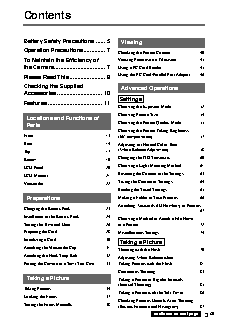
Руководство пользователя SONY Cyber-Shot DSC-D770. Основные функции, характеристики и условия эксплуатации изложены на 128 страницах документа в pdf формате.
Доступно к просмотру 128 страниц. Рекомендуем вам скачать файл инструкции, поскольку онлайн просмотр документа может сильно отличаться от оригинала.
3-867-444-11 (1)
DSC-D770
Digital
Still Camera
Operating Instructions
Before operating the unit, please read this manual thoroughly, and retain it for future
reference.
Owner’s Record
The model and serial numbers are located on the bottom. Record the serial number in
the space provided below. Refer to these numbers whenever you call upon your Sony
dealer regarding this product.
Model No. DSC-D770
Serial No.
DSC-D770
a 1999 by Sony Corporation
WARNING
To prevent fire or shock hazard, do not expose the unit to
rain or moisture.
To avoid electrical shock, do not open the cabinet. Refer
servicing to qualified personnel only.
CAUTION
Danger of explosion if battery is incorrectly replaced.
Introduction
Replace only with the same or equivalent type recommended by the manufacturer.
Dispose of used batteries according to the manufacturer’s instructions.
For the customers in the U.S.A.
This equipment has been tested and found to comply with the limits for a Class B digital device,
pursuant to Part 15 of the FCC Rules. These limits are designed to provide reasonable protection
against harmful interference in a residential installation.
This equipment generates, uses and can radiate radio frequency energy and, if not installed and
used in accordance with the instructions, may cause harmful interference to radio communications.
However, there is no guarantee that interference will not occur in a particular installation. If this
equipment does cause harmful interference to radio or television reception, which can be
determined by turning the equipment off and on, the user is encouraged to try to correct the
interference by one or more of the following measures:
– Reorient or relocate the receiving antenna.
– Increase the separation between the equipment and receiver.
– Connect the equipment into an outlet on a circuit different from that to which the receiver is
connected.
– Consult the dealer or an experienced radio/TV technician for help.
You are cautioned that any changes or modifications not expressly approved in this manual could
void your authority to operate this equipment.
This device requires shielded interface cable to comply with FCC emission limits.
For the Customers in the U.S.A. and CANADA
DISPOSAL OF LITHIUM ION BATTERY.
LITHIUM ION BATTERY.
DISPOSE OF PROPERLY.
You can return your unwanted lithium ion batteries to your nearest Sony Service Center or Factory
Service Center.
Note: In some areas the disposal of lithium ion batteries in household or business trash may be
prohibited.
For the Sony Service Center nearest you call 1-800-222-SONY (United States only).
For the SONY Factory Service Center nearest you call 416-499-SONY (Canada only).
Caution: Do not handle damaged or leaking lithium ion batteries.
2  GB
Contents
Battery Safety Precautions ...... 5  Viewing
Operation Precautions.............. 7
Checking the Picture Content ......................... 40
To Maintain the Efficiency of     Viewing Pictures on a Television ................... 45
the Camera................................. 7  Using a PC Card Reader ................................. 45
Using the PC Card/Parallel Port Adaptor ....... 46
Please Read This ....................... 8                            Introduction
Checking the Supplied               Advanced Operations
Accessories ............................. 10
Settings
Features ................................... 11
Choosing the Exposure Mode ........................ 52
Choosing Picture Size .................................... 54
Locations and Functions of
Choosing the Picture Quality Mode ............... 55
Parts
Choosing the Picture Taking Brightness
Front ............................................................... 13  (EV compensation) ......................................... 57
Rear ................................................................ 14  Adjusting for Natural Color Tone
(White Balance Adjustment) .......................... 58
Top .................................................................. 17
Bottom ............................................................ 19  Changing the ISO Sensitivity ......................... 60
LCD Panel ...................................................... 20  Choosing a Light Metering Method ............... 61
Resetting the Content of the Settings ............. 63
LCD Monitor .................................................. 21
Saving the Content of Settings ....................... 64
Viewfinder ...................................................... 22
Reading the Saved Settings ............................ 65
Preparations                    Making a Folder to Save Pictures ................... 66
Attaching Keywords (ID Numbers) to Pictures
Charging the Battery Pack .............................. 23
........................................................................ 67
Installation of the Battery Pack ...................... 24
Choosing a Method to Attach a File Name
Setting the Time and Date .............................. 26  to a Picture ...................................................... 72
Preparing the Card .......................................... 28  Miscellaneous Settings ................................... 74
Initializing a Card ........................................... 30
Taking a Picture
Attaching the Viewfinder Cap ........................ 31
Shooting with the Flash .................................. 79
Attaching the Neck Strap Belt ........................ 32
Adjusting White Balance when
Putting the Camera in a Semi-Soft Case ........ 33  Taking Pictures with the Flash ....................... 81
Continuous Shooting ...................................... 83
Taking a Picture                Taking a Picture at Regular Intervals
(Interval Shooting).......................................... 85
Taking Pictures ............................................... 34
Taking a Picture with the Self-Timer ............. 86
Locking the Focus .......................................... 37
Checking Pictures Directly After Shooting
Setting the Focus Manually ............................ 38  (Review Function and Histogram) ................. 87
continued on next page  3  GB