На сайте 127200 инструкций общим размером 514.99 Гб , которые состоят из 6435891 страницы
Фото
Руководство пользователя SAMSUNG SH-B083L. Основные функции, характеристики и условия эксплуатации изложены на 31 странице документа в pdf формате.
Доступно к просмотру 31 страница. Рекомендуем вам скачать файл инструкции, поскольку онлайн просмотр документа может сильно отличаться от оригинала.
SAMSUNG BD-ROM/DVD Writer User's Manual                                             ??? 1 / 1
Samsung's OMS (Optical Media Solution) Customer Support Website
(http://www.samsung-ODD.com) offers the latest versions of firmware for ODD products,
user instructions and product information.
file://D:?CD?SH-B083L 12? ?? ????SH-B083L ?? ???_1...                              2008-12-30
SAMSUNG DVD Writer User's Manual                                                    ??? 1 / 1
Select Languages
English
Main Page
Safety Precautions                          Features
Safety Precautions                         Exterior
During Installation                        System Requirements
During Operating                           Features
Others
RoHS & WEEE
Installing BD-ROM/DVD Writer and            Installing Device Driver and Confirming
Connecting Cables                           The Installation
Installing Drive                           Firmware Update
Connecting Cables                          Confirming the Installation of Device Driver
Installing the MS-DOS device driver
How To Use The BD-ROM/DVD Writer            Storing/Cleaning Drive and Disc
How to Use the Drive                       Cleaning the Drive
How to Use DVD±R/RW and Other Discs        Storing the Disc
MAGIC SPEED                                Cleaning the Disc
Deleting Utilities                         When the LED Blinks
Troubleshooting
Troubleshooting
Caution: Possible Errors
Product Specifications
file://D:?CD?SH-B083L 12? ?? ????SH-B083L ?? ???_1...                              2008-12-30
SAMSUNG DVD Writer User's Manual                                                    ??? 1 / 1
Select Languages
English
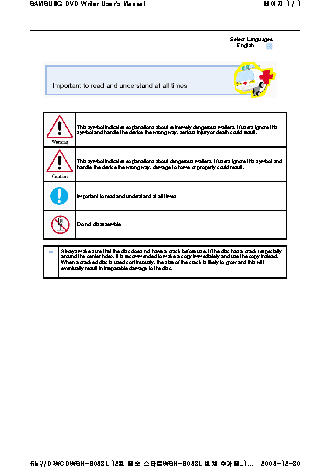
This symbol indicates explanations about extremely dangerous matters. If users ignore this
symbol and handle the device the wrong way, serious injury or death could result.
This symbol indicates explanations about dangerous matters. If users ignore this symbol and
handle the device the wrong way, damage to home or property could result.
Important to read and understand at all times
Do not disassemble
Always make sure that the disc does not have a crack before use. If the disc has a crack (especially
around the center hole), it is recommended to make a copy immediately and use the copy instead.
When a cracked disc is used continuously, the size of the crack is likely to grow and this will
eventually result in irreparable damage to the disc.
file://D:?CD?SH-B083L 12? ?? ????SH-B083L ?? ???_1...                              2008-12-30